
Fiber laser marking machines are precise, reliable, and widely used in industrial applications. Despite their robustness, they are not immune to operational issues. Operators and engineers often encounter faint markings, inconsistent quality, overheating, and laser failure.
Understanding and addressing these fiber laser marking problems is essential to maintain production quality, reduce downtime, and extend machine lifespan.
If you’re experiencing marking quality or stability issues, the table below lists common fiber laser marking problems along with their typical causes and practical solutions.
| Problem / Symptom | Possible Cause | Solution / Fix | Notes / Prevention |
| Marking too light / faint | Low laser power, dirty optics, wrong focus | Increase power, clean lens, adjust focus | Different materials need different power/focus |
| Inconsistent marking | Machine vibration, power fluctuation, software error | Stabilize machine, use uninterruptible power supply, verify software | Regular calibration helps |
| Laser not firing / intermittent | Overheating, loose connection, trigger error | Check cooling, secure cables, reset control signals | Minimize frequent on/off cycles |
| Overheating alarms | Blocked airflow, high ambient temp, prolonged full power | Clear vents, flush water, avoid max power | Primary cause of early laser degradation |
| Focus-related issues | Misaligned galvanometers, dirty lens, uneven surface | Calibrate galvanometers, clean lens, adjust focus | Maintain proper focus to ensure quality |
Marking Is Too Light or Faint
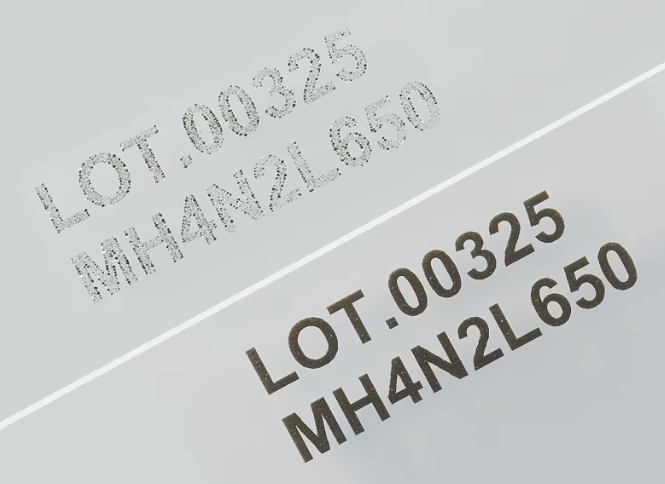
Faint markings may result from low laser power, dirty optics, or incorrect focus distance.
Solutions:
• Adjust laser power according to material requirements
• Clean F-theta lenses and protective windows with approved optical cleaning solutions
• Recalibrate focus for the material being marked
Example: Aluminum marking usually requires higher power and precise focus, while plastics require lower power to prevent melting.
Inconsistent Marking Quality
Inconsistent marking can be caused by vibration of the machine or workpiece, fluctuating power supply, or software errors.
Solutions:
• Stabilize the machine and secure the workpiece
• Use a voltage stabilizer or uninterruptible power supply
• Verify software settings and reload project parameters
Example: A production line marking stainless steel experienced inconsistent depth due to grounding issues, resolved by electrical inspection.
Laser Not Firing or Intermittent
Intermittent laser operation may be caused by overheating, loose electrical connections, or control signal errors.
Solutions:
• Inspect and maintain the cooling system (fans, water flow, temperature)
• Check and secure cables and grounding
• Reset control signals and verify software configuration
Avoid frequent on/off cycles to reduce stress on the laser source.
Overheating Alarms
Overheating is commonly caused by blocked airflow, cooling system malfunctions, high ambient temperature, or prolonged full-power operation.
Solutions:
• Ensure proper ventilation and clean fan areas
• Flush or replace water in water-cooled systems
• Avoid continuous maximum power operation
Overheating is a major cause of early laser degradation.
Focus-Related Marking Problems
Blurred edges or inconsistent depth may result from misaligned galvanometers, lens contamination, or uneven material surfaces.
Solutions:
• Calibrate galvanometers
• Clean lenses and protective windows
• Adjust focus distances and marking parameters
Maintaining clean optics and proper focus preserves laser marking quality and extends service life.
Additional Operational Tips
• Regularly inspect protective windows and lenses
• Maintain the cooling system for high-power machines
• Backup software and marking files to prevent data loss
• Document issues and solutions to speed up troubleshooting
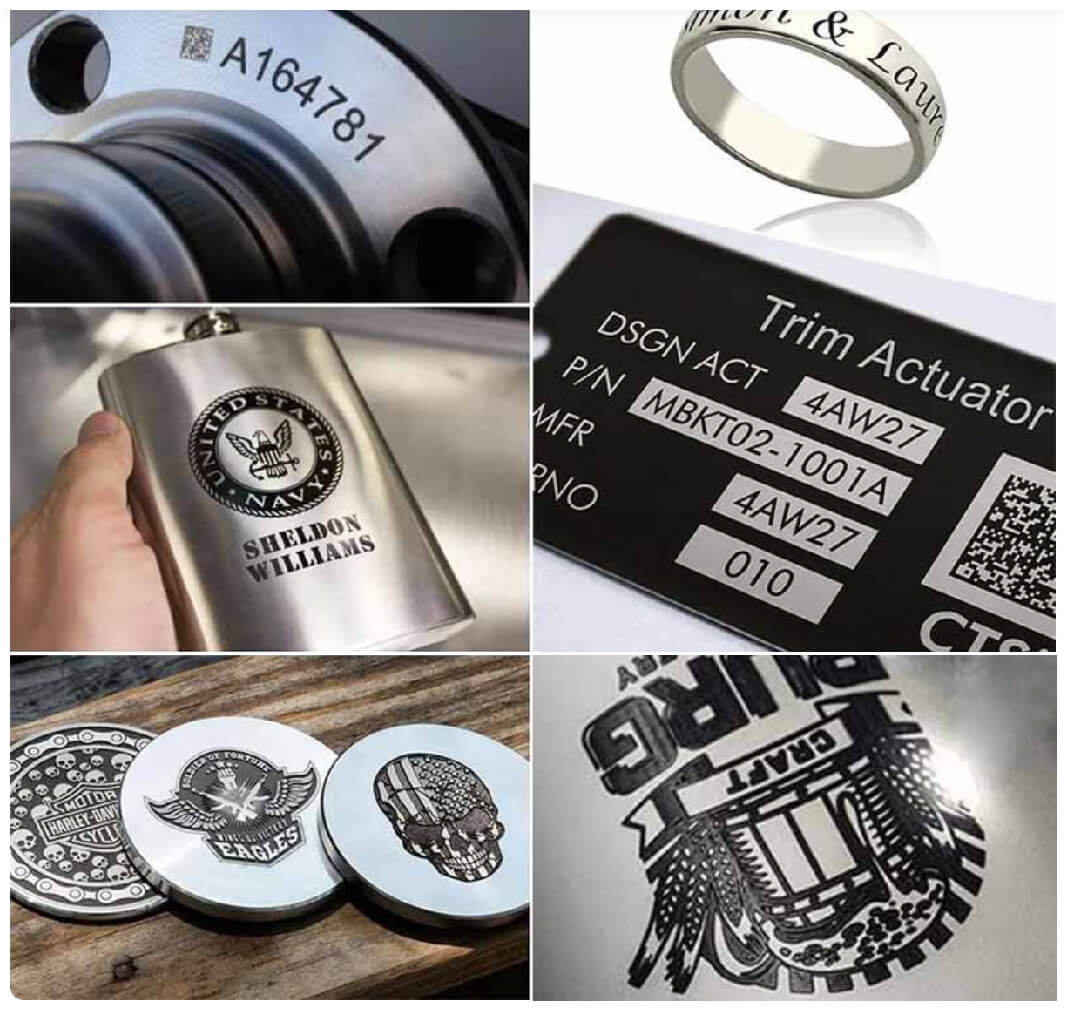
Many common fiber laser marking problems directly affect metal marking quality, including contrast, depth, and consistency, as shown in the samples below.
Conclusion
Most fiber laser marking problems are preventable with proper maintenance, controlled environments, and correct operating practices. Identifying issues early and applying these solutions ensures consistent marking quality, minimizes downtime, and prolongs machine lifespan. Integrating troubleshooting with regular maintenance practices supports long-term reliability.